Summary
The URL upload feature in KnowledgeFlow allows users to add content directly from a web address rather than uploading a local file. This streamlines the process of ingesting reference material, documentation, or web-based resources into the KnowledgeFlow system for search, analysis, and question-answering. Uploaded URLs are processed, embedded, and indexed alongside other document types, ensuring seamless integration with the KnowledgeFlow platform. Supported URL types typically include public web pages and direct links to supported document formats.
Note: The system preserves all content and metadata from the source URL for accurate retrieval and citation.
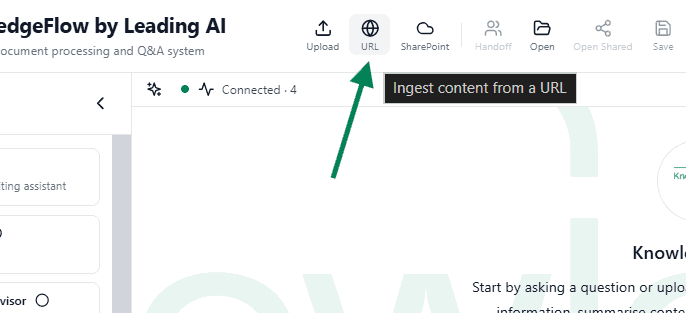
Use-Case
- Quickly add reference material from trusted websites to your organization’s knowledge base.
- Enable staff to cite and search web-based policies, best practices, or guidelines without manual download and upload steps.
- Facilitate up-to-date knowledge by embedding content from dynamic sources that are regularly updated online.
This feature is especially valuable for governance teams, documentation maintainers, and staff who need to incorporate external resources into KnowledgeFlow for compliance, onboarding, or research purposes.
Walkthrough
- Navigate to the document upload section within the KnowledgeFlow interface.
- Select the URL Upload option.
- Paste the target web address (URL) into the provided input field.
- Click Upload to initiate processing.
- Wait for confirmation that the URL content has been successfully ingested. The system will extract and embed the page’s content for future search and retrieval.
- Once complete, the uploaded URL will appear in your document library, ready for semantic search and question-answering.
For best results, ensure the URL points to a publicly accessible page or supported document format. If you encounter issues, review the troubleshooting guide or contact your KnowledgeFlow administrator.