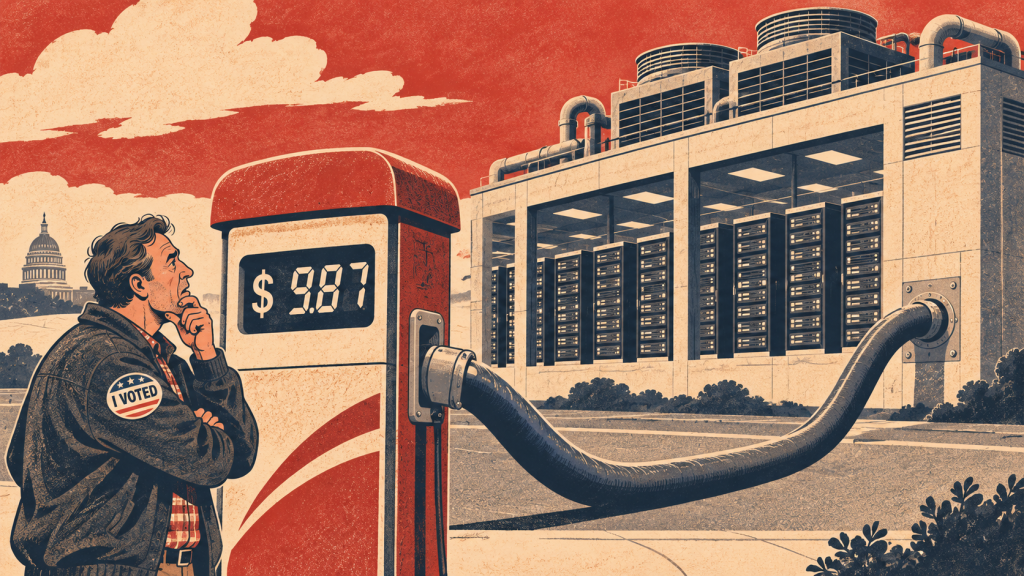
The public sector is being overwhelemed with complaints writen with ChatGPT. They arrive longer, more often, and frequently citing the wrong law or policy.
The Guardian this week called it “AI clog”. Councils, MPs’ offices and public bodies buried in chatbot-generated correspondence. In housing, complaint volumes have roughly doubled in three years. Complaints teams haven’t.
You can’t ask tenants to stop using AI. You can stop answering them by hand.
This 26-inute demo walks through the KnowledgeFlow Complaints App, built for housing associations and councils. Each complaint comes in by email, phone or letter. The app triages it to the right queue and reads the tenant’s record and your own policies. It then drafts a response that’s compliant and aims to fix the problem first time. Your staff stay in control. Placeholders flag what needs checking, and every draft can be checked against your full policy library before it’s sent. Every step is logged.
What you’ll see:
• A 20-page, multi-issue complaint (damp and mould, boilers, service charges, ASB) broken down and answered point by point
• Policy checking against ~300 policies, with advice rather than silent edits
• Automatic vulnerability flags pulled from the tenant record
• An evidence pack showing which policies the AI used and why – ready for the Housing Ombudsman or regulator
• One-click Stage 1 → Stage 2 escalation, with the Stage 1 record locked
• Insights: ask your complaints data what’s driving volume
• The wider KnowledgeFlow platform: Policy Assistant, Repairs Assistant (SOR codes from a photo), RSH standards self-assessment
KnowledgeFlow runs inside your own Microsoft Azure tenancy. Tenant data never leaves your environment.
Chapters
00:00 Why complaints need a new approach
00:45 Dashboard and queues
01:32 AI triage of an incoming email
02:28 Drafting a policy-compliant response
04:30 Follow-up actions
05:28 Checking a draft against your policies
06:36 The activity log
07:50 Call-centre summary and talking points
08:49 The evidence pack
10:27 Handling a long, multi-issue complaint
11:36 The KnowledgeFlow platform and Policy Assistant
13:42 Repairs Assistant
16:09 RSH inspection standards and housing regulations
17:04 The formal Stage 1 response
18:35 Insights
20:01 Escalating to Stage 2
22:33 Logging a phone call manually
25:03 Wrap-up
Want to see it on your own complaints? info@leadingai.co.uk · leadingai.co.uk
TRANSCRIPT
Introduction: why complaints need a new approach
Welcome to our complaints demo. This is demonstrating the complaints module, or app, that runs on KnowledgeFlow and is designed for housing.
The challenge for housing at the moment with complaints is AI seems to be driving a lot greater number of complaints as well as lengthier complaints, often not necessarily citing their correct laws and policies. In the last three years the number of complaints that housing associations have received has doubled whilst most of the teams responding to them has not.
So this module is an answer to that and it is the first AI-native complaints and case management system that certainly I’m aware of.
The dashboard and queues
What you’re looking at on screen at the moment is the dashboard view when you first come into the complaints module. And I’m going to give you a very quick tour of why we are so excited about this, show you some of the features, some of the really interesting things about it.
So firstly, this is totally configurable. There are different queues that are set up at the moment for a demonstration, but can be tailored to be whatever suits your landlord or housing association.
I can view all the cases here in Open Cases and see all of the things that have been sent in by email. And these are all test cases. Or indeed I can add a case manually. I don’t have to link it to an email inbox, but we quite like that it reads an email coming in.
AI triage of an incoming email
There’s a good example of one that’s just a little test one that I’ve sent in. I can see it’s in the heating and boilers queue. So the AI has already triaged it to that queue. I can change that, adjust it as I wish.
And here I can see that there’s some tags that it’s put onto it. That’s for later. I’ll show you the Insights tags. If this contact was an existing tenant or had existing data in your housing management system, then this look up here would be populated with details about their whatever you’ve got logged against them, repairs history, tenant information, all the kind of things that you might want to be able to draw in. So this is just a really simple one, not really a complaint at this stage. This is just “my heating’s not working”, etcetera.
Drafting a policy-compliant response
So first thing I’m going to do is just draft a response. I could here give some instructions on what I want the response to be and I can do that in bullet point form or just, you know, statements. I’m not going to do that. I’m just going to hit generate draft.
Now what’s going on here, which is very exciting I think is this is now reading that email, it would read any data that it had on the tenant or customer. It would also read all of the policies, your organisation’s policies, and here’s its answer in order to draft a response that was compliant with your policies and aims to resolve the tenant enquiry or complaint.
So here is the draft response. So you can see it here. I’ll try and make it a little larger. Starts with a number of placeholders for the staff member, your customer agent, and these are either checks or things that need to be carried out and then it will draft an email.
So in this case it’s “Dear Ben, thanks for getting in touch. Sorry to hear that your heating has stopped working.” So, friendly. The tone can be adjusted could be in any language. “We’ll arrange for this to be looked at. We can offer the following appointments.” and one of the placeholder texts up here will say: “Please contact repairs so that you can get some appointments into here.” That’s aiming to resolve the issue straight away. Give them some appointments and ask them to come back to you. “Please reply to this email or call us and we’ll make sure that we confirm the appointment.” So that’s what it’s trying to get to. If you can offer an appointment in the email, then great. It can of course be tailored to say we’ll contact you to arrange an appointment.
It’s designed to include a “what happens next” section. In each case, it will give you a very clear, short summary of what’s actually going to happen next. And then I can edit any of this by the way, so I can sign that off: kind regards Kieron. I can then send that if I wish to.
Follow-up actions
I quite like this. We’ve got a follow up actions option. So what this is doing is now AI is reading that email draft and it’s pulling out (here we go) any actions that I might need to take as the call centre operative. And in this case there’s “book the engineer appointment once the customer replies”, it’s got a suggested date, so I can change that if I wish to.
And I’ve got a number of options. I can have it go into my Outlook calendar as a reminder so you get a kind of meeting reminder with a link back to this ticket. I can send it to the repair system to the queue. Or I can escalate. There’d be multiple actions. If there was multiple things for me to do, we might see that in a moment. So I’ll put in an Outlook reminder. I’ll put it for tomorrow. I’m hoping this email will come back to me and then send that email or wait and come back here.
Checking a draft against your policies
Here’s another touch. I can check that email against our policies. Oops, I confirmed it before I should have done.
That’s helpful, isn’t it? What that would have done, in that great demo, is check. It’s doing it in the background. It checks all of the claims and things I’m saying in here against the full suite of policies, of which there are many. I think it’s about 300 policies in this demonstration version. To check that I’m not saying something, here we go, I can have another go now, to check I’m not saying something I shouldn’t be, to check that it’s a compliant response with the policy. So it’s a really nice additional check. There it is and it gives me advice. Doesn’t change the email.
We don’t want it to directly change anything, but it’s giving me advice and pointing out things here where it’s either good or I should check. So let’s get rid of that now so once I’m happy with it, I can send it and that will now go. It’s asking for confirmation. That’s that checked. As I can see already, I should take these out before I send. There we go.
The activity log
Let’s get that sent now over here. You might have noticed we’re logging everything. All of the activities to do with this ticket are being logged alongside here, which is fantastic because we’ve got that immutable record of what’s happened and what’s been sent. So I can see already I have received an email response back. There it is. That’s the email I have received back in response and I can reply to that and say here we go.
“Thank you.” I’ll pretend it gave me an actual date for an appointment Tuesday the 10th in the morning. “Please send a contractor then. Best wishes.” I need to say Ben, not to confuse anyone, because that’s a made-up name I was using. So I’ve sent that in. And what will happen in a few moments is that email response will land in here at the end, keeping it all in the ticket, everything kept together.
So firstly you’ve got a record of everything that’s happening, but secondly, if it does become a complaint, then you’ve got the full log of everything that happened and when. The next couple of pieces I want to show you.
Call-centre view: summary and talking points
Let’s assume Ben had called me now and I’m in the call centre.
So let’s go back to the dashboard. I can look up Ben Watkins. So he’s on the phone right now. There we go, he’s on the phone so I want to get a very quick summary. I could read that fairly easily, couldn’t I? On screen here.
But assuming this was hundreds of tickets long and huge amounts of data, here is a short summary of what’s happening. Some talking points so confirm I understand the issue. Advise it’s already been picked up. If needed, ask them to reply with appointments, etc. Next steps and we’ve got a “be careful” section: things you should be avoiding saying so again, that’s tailorable, but that’s how we’ve done it for that.
The evidence pack
The other part of this, and this is what we really love about KnowledgeFlow as a secure and private AI platform is it has an evidence pack capability. So what that is, and I’ll just open that for you. It’s opened over here. Helpfully, this is a full record of what KnowledgeFlow has done in this scenario in order to answer this complaint. It’s not really a complaint, is it? But we’ve put them under that banner. So it’s got dates and times what came in.
It’s really interesting if you can read the text on screen there that says 99% confidence that it’s about heating and boiler. Really important this is that the AI is explaining it’s thinking a little bit. It’s not just giving you an answer like a magic tada, it’s showing you why it’s come up with what it has. There you go: here’s the message, here’s our response.
And what you’ll see in here is that it’s telling you about the index it used. So in this case, it looked at 15. I know you can’t read this text on screen. 15 different parts of the policies were used. So I can see that and here they are. Here are the things that it used in order to consider in its response. It then shows you the placeholders and then the full audit trail, including the note where I checked it against the policies here at this stage.
So you’ve now got this full record that supports you, should this become an ombudsman or a regulator problem later and get escalated, you’ve got the full record of everything that happened.
Handling a long, multi-issue complaint
The other thing to show you quickly is that it can handle those huge complaints. If I can find one, this one is a formal complaint and what we’ve done here on purpose is created an imaginary complaint that goes on about lots of different things. One of those that is difficult to manage. How do I even understand this? They’re talking about boiler failures, they’re talking about damp and mould, they’re talking about service charges, real pain.
So I can just hit draft response, and it’ll probably take a little bit longer because it’s got a bit of work to do here. It’s going to draw out everything it can see in that complaint or enquiry and give me the draft answers with those placeholders of the things I need to do. So there will be lots of things to do. It doesn’t get you out of that problem, but it certainly massively saves the time.
And if it was connected to your housing management system, then it can draw directly data in so it can provide answers rather than “go and check, go and check, go and check”. So I’ll leave that to run just for a moment.
The wider KnowledgeFlow platform
Whilst that’s running, I’ll quickly show you the wider KnowledgeFlow platform that this runs on. So this is KnowledgeFlow. It’s a private and secure AI tool that sits inside your organisation. That’s really important because some of the sensitive data that housing associations have to manage means you need to be belt and braces on GDPR data privacy and ensuring you limit access. We build in a pretty unique way in that we build it inside your Microsoft Azure system. That means the data is never leaving your Microsoft environment.
That’s really important and KnowledgeFlow has a bunch of specialist agents. Firstly, the policy assistant. You could just ask it questions: what does our repairs policy say about damp and mould? It doesn’t mind typos. There you go. So it’s telling me what it says. And here’s where again, back into evidencing it is showing you what it has looked at. It’s looked at what are called chunks in AI terms: chunks of the responsive repairs and maintenance policy. If I wanted to look at that policy, I can hit that. This is one we downloaded from the internet for the demo, so I can read that policy if I wish to. But that has given me what I’ve asked for.
I could have asked any kind of question again, I could run an evidence pack against that. If it was a difficult question and I wanted to record how it had worked it out.
The policy assistant is also really good at administration. With this button, if I upload the new Awaab’s Law Phase 2 or some new regulation and hit this, it will review all my policies against what I’ve uploaded and show me where the changes need to be and indeed draft what the changes ought to be. So some really impressive tools in there.
Repairs Assistant
A lot of our customers really like the repairs assistant. It’s designed to speed up identifying your SOR (schedule of rates) codes for any job, and you can give it whatever you want really. I’m going to give it a photograph of some damp and mould. So that’s being uploaded there. Whilst that’s happening, let me show you what that photograph is, if I can. Hopefully it’s there. There we go. So that is what KnowledgeFlow is seeing now and you can see it’s processing it. There we go, that’s done.
Now I’m going to do a damp and mould analysis on it. I’m going to assume I knew it was to do with damp and mould. There we go. And I just need to give it a nudge to let it know that the damp and mould picture is there already and here we go. So: “I’ve uploaded an image showing mould or moisture related build up at window frame sills.” Let me get that back up. I won’t read it all, but that’s now telling me using your severity scale, it considers this moderate and then it’s found the SOR codes for the things that it thinks need to be done and then it finishes up with its recommendation.
So this is designed for your repairs team to quickly get together what they need. I can ask it here. I’ve never tried this. Let’s try: “Give me a brief I can send the inspector.” I can see in there that it’s required. An inspection is required. So let’s get it to provide an inspection brief. There we go. There’s the brief for the inspector. So I’m saving all of that. I could get it to do an email to the tenant. I could get it to do all kinds of things. I can change the language.
I could load a picture of a contractor’s job list and it would do the same thing with it. I could load a text document, an email, anywhere where it has the information that it’s searching for in order to help write those SOR codes and create a work brief which you can then send straight to your repair system or whatever your process or workflow is.
RSH inspection standards and housing regulations
We’ve also got an RSH inspection standards tool, which is really great. So this is designed that you upload a whole bunch of data. You can upload Excel spreadsheets, MIS reports, you can upload PDFs, Word documents, tenant surveys, feedback, anything that’s going to have the data, words and numbers that would be needed in order to assess yourself against the RSH standards. And then it will give you an assessment based on data and show where it’s seen that in your data.
So that’s the wider KnowledgeFlow platform you might have spotted down here. We also have the housing regulations over here. I can see what it knows: 52 documents covering all of the regulations and legislation related to housing in England. And we have an Irish, Scottish and a Welsh one as well.
The formal complaint response
Let me go back to the complaints here, which will have drafted its response for us. If you remember, this is the long AI complaint that is belligerent and detailed and what I can see here and let me try and scroll down a little just to give a bit more.
So as predicted, because it is a long complaint, there is a lot of things it needs me to do. So that’s kind of like nature of the job in many ways. But here is its draft response to this made-up person. And what you can see is firstly it’s treated it as a formal Stage 1 complaint. It shows you that it understands the complaint, so it tries to be sympathetic and empathetic about that. And then it’s handling each one of those complaints in turn.
Damp, mould, boiler and heating failures, service charges, antisocial behaviour. Most of those responses are kind of placeholder type responses in this case because I haven’t given it answers. If I had given it answers, it would have drafted the response for me. There we go.
Here’s all the things that’s going to happen. Again, I can check against policies. I can hit the follow up actions button. In this case, it will be the full suite of follow up actions. I think we’ve set this as a limit of whatever it is, 65 or 6, but we can change that and indeed I can add them. Again, these follow up actions I can add to my calendar or send it to a manager, etcetera.
Insights
A couple of other things I just want to point out before we try and wrap up this very short intro. What we’re very excited about is Insights.
So this uses our private secure AI tools to look across any item of data. And when I say data, I mean words and numbers within the ticket system. So I can see what my top most complaints were and I can look at the time frame for how long or short they were resolved in. In this example we haven’t closed any, I don’t think. I can see the number open at any one time. That’s the sort of dashboard view.
But I quite like the ask. I can, for example, say what priority, what should we prioritise in order to reduce complaints? And I can ask any question I’d like. I could say who’s dealing with the most complaints, who’s dealing with the most difficult complaints? What time of day do we most often respond compared with when we receive them? Which area, postcode or route is the most problematic or whatever. There you go. So this is saying leaks and repairs. There’s damp and mould. There you go. I can go on and ask more questions of it, but I’m sure you’ll get the key part of it there.
Escalating to Stage 2
The last thing to show you, which I didn’t show and I should have done, is let’s go back to one of these. We’ll take the formal complaint. So let’s say I’ll send that email. There you go.
That’s going to go as is with the placeholders and things in there. We can have, by the way, an auto-stop. That means it won’t allow you to send it whilst there are still placeholders in, which is probably a helpful thing. And I can see I’ve already received the response to that. But here’s the thing I wanted to show you.
Escalate to Stage 2. Let’s assume they’ve come back and said: “That’s outrageous and I really need this now looked at formally.” There’s a bunch of things in this wizard about what happens.
The first thing is it will close the ticket and lock it. So the Stage 1 ticket is then sort of a permanent record of what’s happened to that point and that it’s going to draft the brief for Stage 2. So here’s the next piece. Why has the complainant asked, or why are we escalating it? And I can write something here to add in why that’s the case. Let’s say I do need to write something. “It is still not fixed.” Let’s just try not to spell too terribly. There we go. And then I can write a handover summary.
And what’s interesting here is it will be the AI’s draft. So the AI is now drafting for me a short brief. There we go. If I just scroll down, you can kind of see the text on there and it’s quite small. You can get a bit of an idea of the text that the kind of summary that it will create. I can rewrite it, I can edit it here. I can just add in “Hello”, just to prove the point. And then I can next, there we go. So it’s given me a quick summary of what it’s all going to do. Am I happy? Then I’m going to escalate to Stage 2. There we go.
And now what happens is here is the Stage 2 ticket. So it starts with that summary, our internal summary. The clock’s now ticking on Stage 2. Over here is the Stage 1 link. So I can go back to that at any point and see the whole thing. But I cannot now change this, which we built in on purpose. And here we go back to the Stage 2.
And then I can handle that from there and do the same thing, draft a response, get my enquiries. You’ll have seen here as well, I can add things so I can say “we are looking at this today”, save that, and then that appears down here.
Logging a phone call or letter manually
So I’ve got some permanent record that I can add to. Very briefly, back to here. You can link it, as I’ve mentioned, to an email inbox or you can raise new cases manually, and say whether it’s a phone call, an email or a letter. I can paste in an email or a letter here. It doesn’t matter how long it is, by the way; it could be hundreds of pages long or they might be on the phone and I just want to log that there’s a call come in from, let’s do Ben again. He does moan a lot, doesn’t he, Ben? Send it to triage. We’ll give an email address; it requires either an email or a phone. I’d use one of my old email addresses.
Subject: boiler broken. Let’s try not to take too many typos. “Ben has called to report a broken boiler again.” Let’s just leave it at that for now. That’s going to then create a new ticket for me. Here it is.
It’s in the heating and boilers queue in this case, because I’ve got no other email, it has picked up Ben’s record, which we made-up in the Dynamics database. So it’s got a whole bunch of stuff here, which is all of the things I can look at for Ben. If I draft a response now, what we’ll find is it will look into those and identify other things I may need to be aware of that. I might not have known about Ben particularly given he phoned in. So once that’s done, I’ll just show you that and then I will wrap this up right. Here we go.
Unconfirmed match on the record because that is only a name. So we need to be careful is what it’s saying. Firstly, it shows a vulnerability flag which is really, really helpful. It shows that there’s a child with asthma, so please consider whether this affects the priority of the repair. And then it’s got some checks it does about the responsive repairs policy says we should offer an appointment at first contact and it says it’s met that because it’s offered back in the email below. Tell them when they should expect it to be repaired; improve response time for vulnerable customers.
And then, as you’ll be familiar with by now, here is our draft reply ready to go to Ben. I will need to get some dates from our repairs team before I send that.
Wrap-up
That’s the demo of the complaints module and a little look at KnowledgeFlow, which this is built on.
You don’t have to have the other parts of KnowledgeFlow. You can just have this. But those other tools are available within our suite of tools and we keep adding things all the time. So I hope that has been a useful exploration. We’d love to hear from you if you’ve got any further questions, any follow-ups that you’d like to ask. So you can get in touch with us at info@leadingai.co.uk. And our website, of course, is leadingai.co.uk.
Thanks for watching and I hope to speak to you soon about getting this complaints module into your housing association and dealing with those long, frequent, high volume complaints in an accurate, quick and timely manner, with all of the logging and tracking of time frames and everything else to make you compliant. Good stuff. Thanks very much. Bye. Bye.